Overview
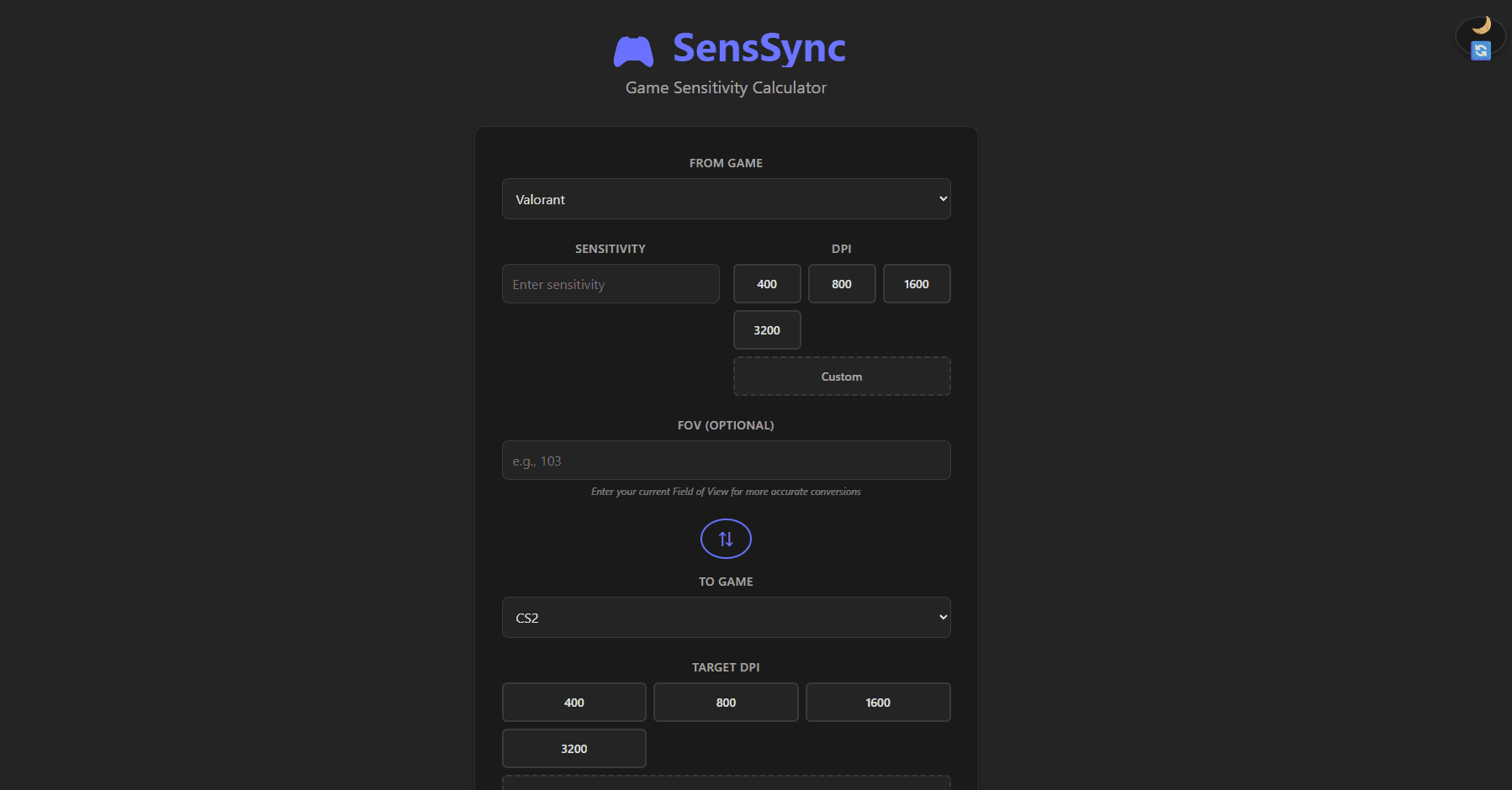
When switching between competitive FPS titles, players lose their trained muscle memory because each game uses a different internal sensitivity scale. SensSync converts sensitivities 1:1 across Valorant, CS2, Apex Legends, Overwatch 2, Fortnite, Rainbow Six Siege, PUBG, and Call of Duty — letting players keep their aim the moment they launch a new game.
Key Features
- 8-game converter matrix — Any game to any game, bidirectional
- cm/360° normalization — Convert to/from physical distance per full rotation as a universal unit
- eDPI calculator — Combine DPI and in-game sensitivity into a single comparable value
- Offline PWA — Full functionality with no network connection after first load
- Instant results — Pure client-side computation, zero server latency
Architecture
The application is a pure client-side React 19 + TypeScript SPA built with Vite. All conversion logic lives in an isolated service layer, decoupled from UI components. This separation made comprehensive testing straightforward and enabled the PWA to work fully offline via a Vite-generated service worker.
// Core cm/360 conversion formula
export function toCm360(sensitivity: number, dpi: number, yaw: number): number {
  return 360 / (sensitivity * dpi * yaw);
}

export function fromCm360(cm360: number, dpi: number, yaw: number): number {
  return 360 / (cm360 * dpi * yaw);
}
The test suite has 258 tests across three layers: 94 component tests (React Testing Library), 39 service unit tests, and 125 converter integration tests covering every game-pair combination. Vitest enforces 80% coverage as a hard CI gate.
Technical Challenges
1. Each game uses a different sensitivity scale and FOV model
There is no universal sensitivity unit — Valorant's 1.0 is physically different from CS2's 1.0. The solution was mapping every game's sensitivity to cm/360° (the physical distance the mouse travels per full camera rotation) as an intermediate unit. This creates a common denominator: convert source → cm/360° → target. Deriving the correct yaw multiplier for each game required reading engine documentation and cross-referencing community measurement tools.
2. Achieving 93.8% test pass rate across every game pair
With 8 games there are 56 ordered conversion pairs. Edge cases compound: very high DPI values, sensitivity near zero, and floating-point precision loss at extreme ranges. The TDD red-green-refactor cycle caught precision bugs that only appear in specific combinations — tests were the specification before the implementation.
What I Learned
Designing a SOLID service layer where the conversion logic has no knowledge of React or the DOM made the codebase straightforward to test and reason about. TDD at this scale — writing tests for all 56 conversion pairs before implementing the formulas — surfaced requirements I would have missed by coding first. The PWA manifest and service worker caching strategy also taught me how to handle asset versioning and cache invalidation on updates.