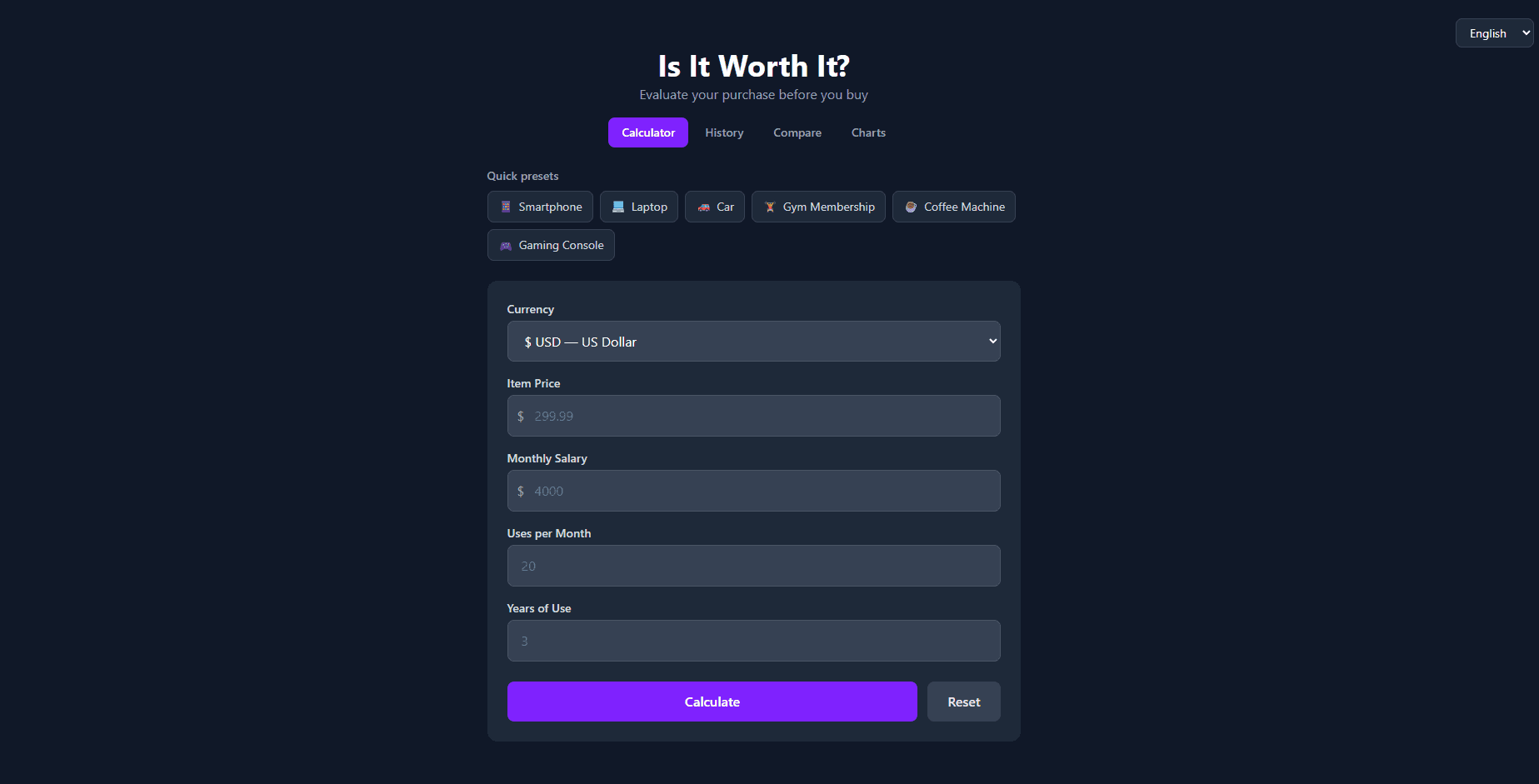
Overview
Abstract prices are hard to evaluate. "Is €200 a lot for a jacket?" becomes concrete when reframed: that jacket costs €0.55 per wear over its lifetime and requires 3 hours of your work at your hourly rate to pay for. Is It Worth It? transforms purchase decisions into metrics that map to real personal values — time and frequency of use.
Key Features
- Cost-per-use calculator — Divide price by expected number of uses to find the true per-use cost
- Work-hours calculator — See exactly how many hours of your time a purchase represents
- 12-currency support — Correct locale-aware formatting for USD, EUR, GBP, JPY, and 8 more
- 4-language i18n — English, Spanish, French, and Filipino via i18next with runtime switching
- Category presets — Common purchase types pre-filled with realistic lifetime use estimates
- Side-by-side comparison — Evaluate two items against each other simultaneously
- Shareable result links — Full calculation state encoded in URL query params, no backend needed
- Saved history — Local calculation history with JSON export/import
- Offline PWA — Full functionality after first load, installable on mobile
Architecture
The application is a React 19 + React Router 7 SPA. i18next handles runtime language switching with separate translation namespaces per feature area. vite-plugin-pwa generates the service worker and handles asset precaching. Shareable links serialize calculation state into URL query parameters — no database, no auth.
// i18next configuration with language detection
i18n
  .use(LanguageDetector)
  .use(initReactI18next)
  .init({
    resources,
    fallbackLng: 'en',
    interpolation: { escapeValue: false },
    detection: {
      order: ['querystring', 'localStorage', 'navigator'],
    },
  });
Currency formatting uses the native Intl.NumberFormat API, which handles locale-specific decimal separators, thousands grouping, and currency symbol placement automatically.
Technical Challenges
1. Shareable links without a backend
Sharing a calculation result with another person requires persisting state somewhere. Rather than building a database and authentication system, the full calculation state (price, uses, currency, language) is encoded as URL query parameters. Any link shared opens the identical calculation. The challenge was deciding what belonged in the URL versus local storage — transient session state stays local, shareable results go in the URL.
2. Formatting currency correctly across 12 locales
Naively prepending a currency symbol breaks for many locales. In Swiss French, CHF 1.000,00 is formatted differently than in English (CHF 1,000.00). Intl.NumberFormat with style: 'currency' handles all of this automatically, but required learning which currencyDisplay option (symbol, code, name) reads most naturally in each locale.
What I Learned
The Intl API is far more capable than I expected — currency, date, number, and list formatting are all handled correctly once you understand the options. The i18next namespace pattern (splitting translations by feature rather than having one giant file) kept the translation files maintainable as the feature set grew. Running axe-core against every page also taught me concrete WCAG 2.1 fixes: explicit aria-label on icon-only buttons, correct heading hierarchy, and focus trap management in modals.